

35·
6 days agoSee, this is what they should have been doing from the start. Actually add value for gamers rather than try to win market share through exclusivity agreements. This is how you complete with valve. Do more of this.

Kobolds with a keyboard.
See, this is what they should have been doing from the start. Actually add value for gamers rather than try to win market share through exclusivity agreements. This is how you complete with valve. Do more of this.
Who knew that Deep Ones were just mid-transition between human and frog?
This is pretty neat, and has made me realize how awful I am at judging time periods.
Anthropeum.com · Jun 15 2026
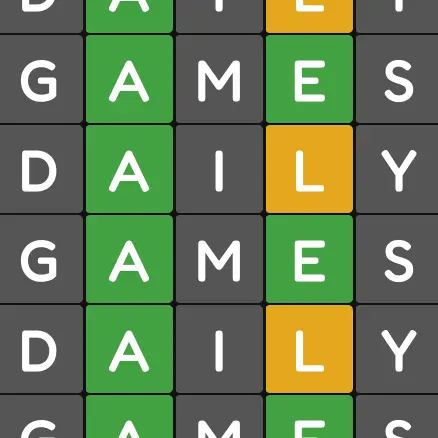
🟩🟩🟨🟩🟥🟥🟥🟨🟨🟨
44,803 · top 81% of players today!In all fairness, it’s in no way required to own a fursuit to be a furry. :) It’s only as expensive as you want it to be.

He and his friends made gobs of money insider trading on oil prices, so there’s that.
This creates an interesting question.
How much cheaper than the base price would it have to be for you to willingly carry around a Trump branded phone that’s so immediately recognizable that everyone you meet will know what you’re using?
Do you know what a duvet is?
Because gamers have a finite amount of time and money? New releases are literally competing for both of those.
If it came out that every single US military loss in this conflict had been Israel’s doing, I feel like republicans would somehow still justify being their unconditional allies.
This is me, too. Furthermore, even if I enjoy the trip itself, “having a trip planned” but not being on the trip yet is the most stressful time of the whole ordeal, and the stress only increases the nearer to the day of the trip it gets.

Not to mention, some companies right now are abusing interview candidates to get free work with “trial project” type assignments, or “How would you fix this problem, if you were hired?” type of free consultations. If some candidates abused the companies in return, I’d call that fair play.
Look at this guy with his fancy bottom sheets.
When you get an image with the mouth open and it’s alarmingly detailed, that’s when you can be absolutely sure.
What I said was that voting defensively makes your vote work towards preventing this sort of thing, whereas voting third party does not. Protest votes, ballot spoilage, 3rd party votes and similar actions make a statement, but so does voting for progressives down ballot.
To put it succinctly, people voting 3rd party didn’t cause the current situation, but they did nothing to prevent or obstruct the current situation, either.

I don’t really have the expertise to evaluate the report for things that would make for compelling objections. If someone here happens to, it would be helpful if you could give us a quick summary of the most objectionable parts of this proposal that we could use in writing a comment.
Obviously it’s visually objectionable and all that, but that doesn’t seem to be what they’re asking for comments on.
if that sort of voting prevented this situation at all we wouldn’t be here?
Is your stance that Harris would have been doing the same shit Trump is doing, had she been elected instead? That it wouldn’t have been any better? If that’s what you’re positing… I strongly disagree, and I really don’t know how you can even start to back that claim up.
Regardless, vote how you want. I’ve had this conversation with enough people with your exact stance to know that there’s nothing I can say to change your mind and there’s nothing you’re going to say to change mine, so continue doing you and I’ll continue doing me.
I’m not blaming them for dems losing, and they can vote however they want, I’m not stopping them. This isn’t about how you can and can’t vote, it’s about how to make your vote work to prevent situations like we’re in right now, while also pushing for longer-term outcomes, and we can all have - and share - our opinions on how to do that.
Personally, I think it’s counter-productive to refuse to actively vote to prevent our current situation in the name of ideals or whatever else. It’s going to take years if not decades to fix the damage being done right now, in all likelihood. But you’re welcome to have your own opinion on that matter.
If only they had voted for the candidates who wanted a strong social safety net, rather than the ones that wanted to fuck everyone who isn’t part of the 0.1%, maybe they wouldn’t have to worry now…
You can fight to install progressives at the local level while voting defensively at the national level. Local progressive movement are not only a LOT easier to pull off, but will help create widespread acceptance of progressive ideals as they get good outcomes. Then you expand to the state level and house, then the senate, then you’re well positioned to push for a progressive in the presidency.









deleted by creator